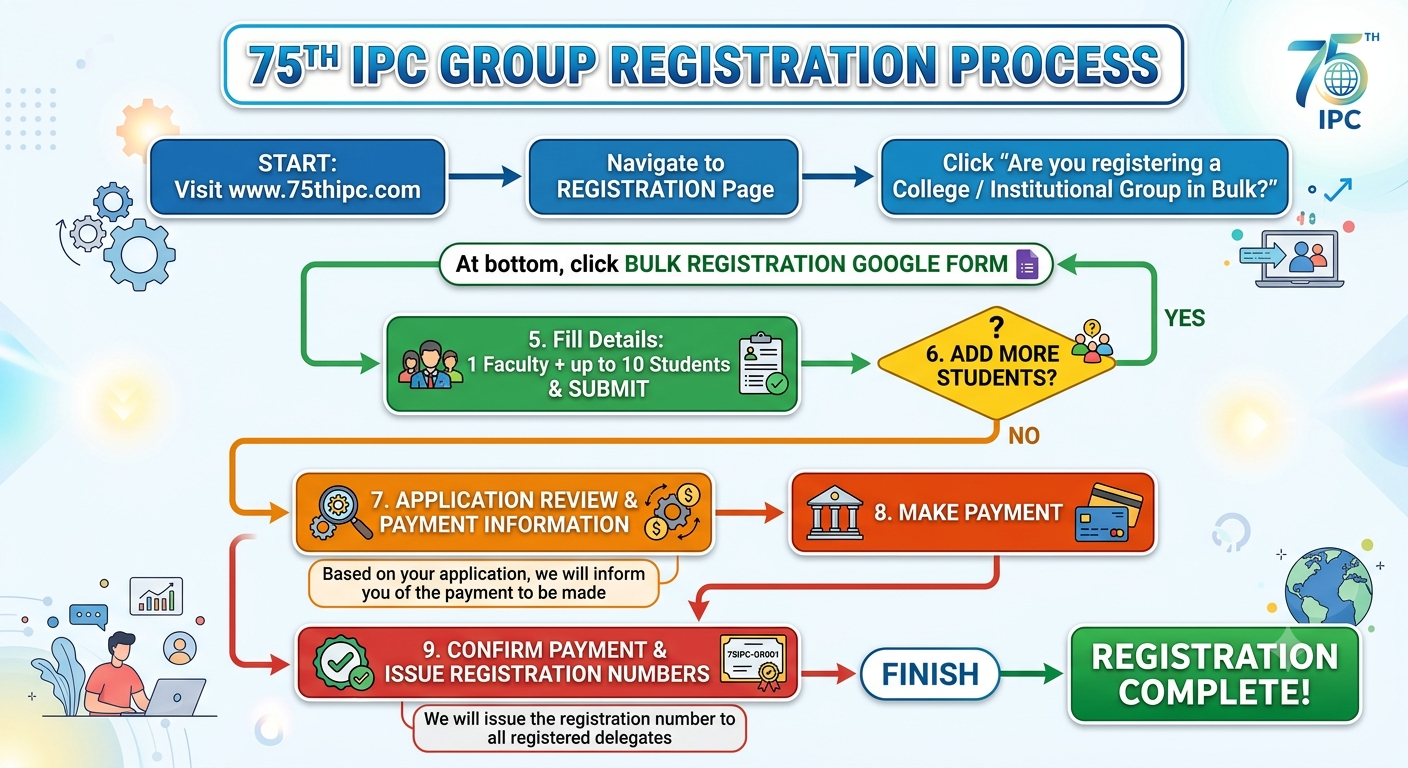
Step-by-Step Group Registration Process
Visit the Registration Page
Visit www.75thipc.com and navigate to the Registration page.
Select Bulk Registration
Click on "Are you registering a College / Institutional Group in Bulk?"
Open the Bulk Registration Form
Scroll to the bottom of the page and open the Bulk Registration Google Form.
Submit Delegate Details
Fill in the required details for 1 faculty member and up to 10 students, then submit the form.
Register Additional Students
To register additional students, reopen the Bulk Registration Google Form and repeat the submission process until all details are submitted.
Receive the Invoice
Once your application is reviewed, you will receive an invoice with payment instructions.
Get Registration Numbers
Upon successful payment confirmation, unique registration numbers will be issued to all registered delegates.